Activity and audit trail
See who changed what and when, across the workspace, a department, a single document or a single module.
ParaBlox records changes to documents and modules as they happen, with the person and the time. You can read that record at four levels: the whole workspace, one department, one document and one module.
The activity log is available on every plan.
Where to find activity#
| Where | How to open it | What it shows |
|---|---|---|
| Workspace | Activity in the left sidebar | The latest 80 changes across all documents and modules, newest first |
| Department | Department page, Activity tab | The same feed, limited to that department |
| Document | History in the editor toolbar | Every recorded change to that document |
| Module | Select the module, then Recent activity in the Inspector | Changes to the module's name, scope, status and location |
Workspace Activity page#
Open Activity in the sidebar. The page shows every change across documents and modules, newest first. Use it to see what happened in the workspace recently. For older entries, open the History of the document you're interested in.
Department Activity tab#
Open a department and click the Activity tab. You see the same kind of feed, filtered to that department's documents and modules.
Document History#
- Open the document.
- Click History in the toolbar.
The Version history dialog lists every change, who made it and when. It loads 10 entries at a time. Click Load more to see older ones. See Document history.
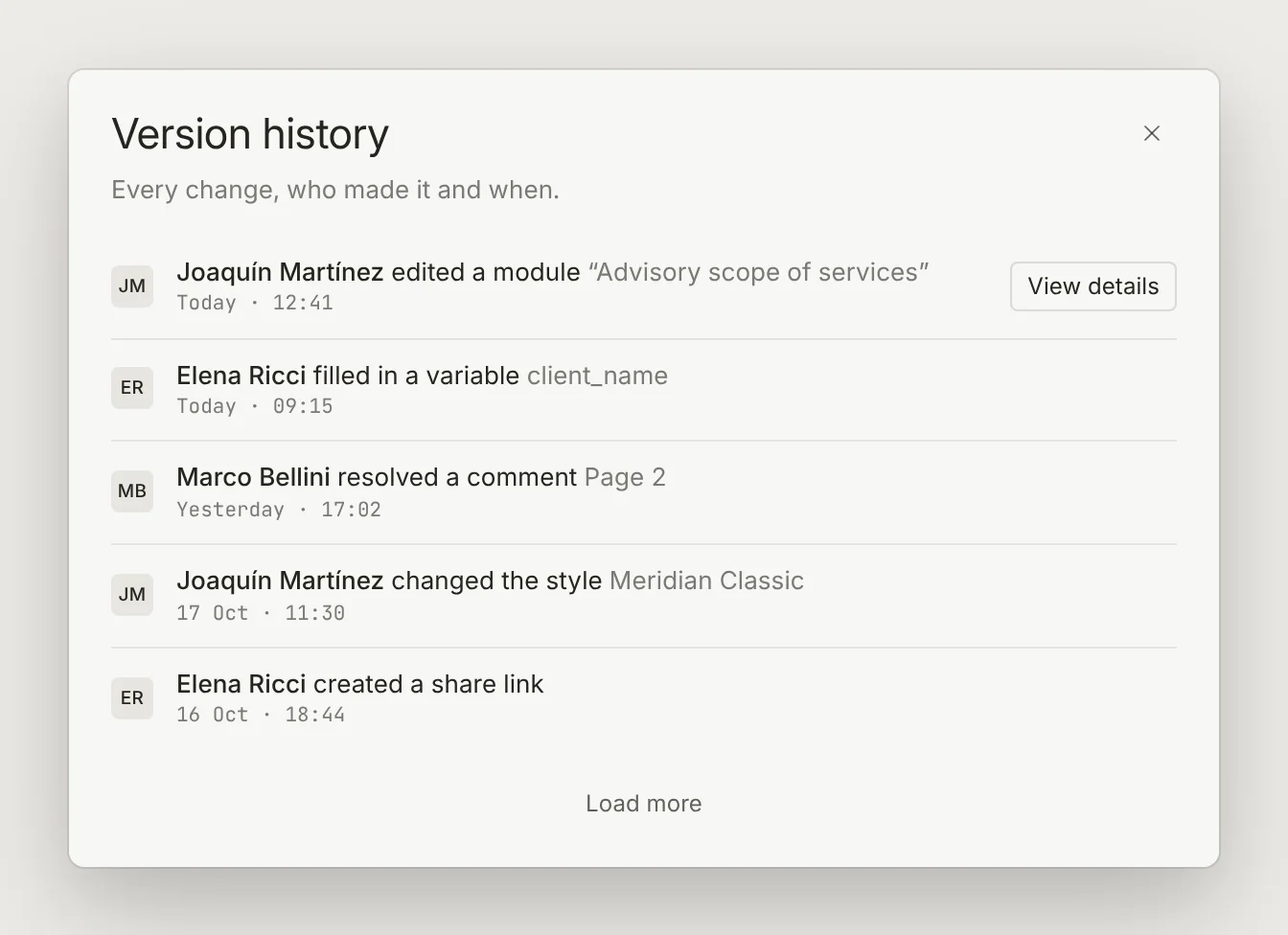
For an entry that reads "edited a module", click View details to compare the module's text Before and After. Turn on Highlight changes to mark what changed. Click Restore this version to bring the old text back into this document. The block becomes an own copy in this document with the old content. The library module and other documents don't change.
Module Recent activity#
Select a module in the editor and look for Recent activity in the Inspector on the right. It lists the governance changes to the module, such as scope changes and approvals. See Module scopes.
What's recorded#
In a document's History:
- Created the document, changed the title, the style, the page size or margins, or the header or footer.
- Added, removed or edited a module.
- Converted a module into a local copy, or reconnected it to the library.
- Filled in a variable.
- Added, resolved or reopened a comment.
- Created or revoked a share link, allowed or turned off PDF downloads, and each PDF download from a share link.
- Exported the document.
- Every workflow step: created, started, sent to review, sent to approval, stepped back, finished, and participants added or removed.
In a module's Recent activity:
- Created the module, changed its name, moved it to another folder.
- Changed its scope, requested a wider scope, and the approval or rejection of that request.
- Archived or unarchived it.
Edits to a module's content appear in the History of the document where they were made. Edits made on the module's own page are kept in the module's Version history instead. You can open it from the workspace Library page.
Who can see activity#
Everyone in the workspace can see all activity, in every department. Department roles only decide who can make changes. Keep this in mind when you write document titles and module names, because they appear in the feed.