What is ParaBlox
ParaBlox builds documents from reusable, versioned modules, so approved content stays the same in every document that uses it.
ParaBlox is a tool for teams that write the same kinds of documents again and again: technical manuals and guides, procedures, proposals, contracts, policies. Instead of copying paragraphs from an old file into a new one, you write each piece of content once as a module and build documents by placing modules on the page.
When a module changes, the documents that use it can pick up the new version. Your clauses, company descriptions and disclaimers read the same everywhere, and you can always see which documents use each one.
The core idea: reusable linked modules#
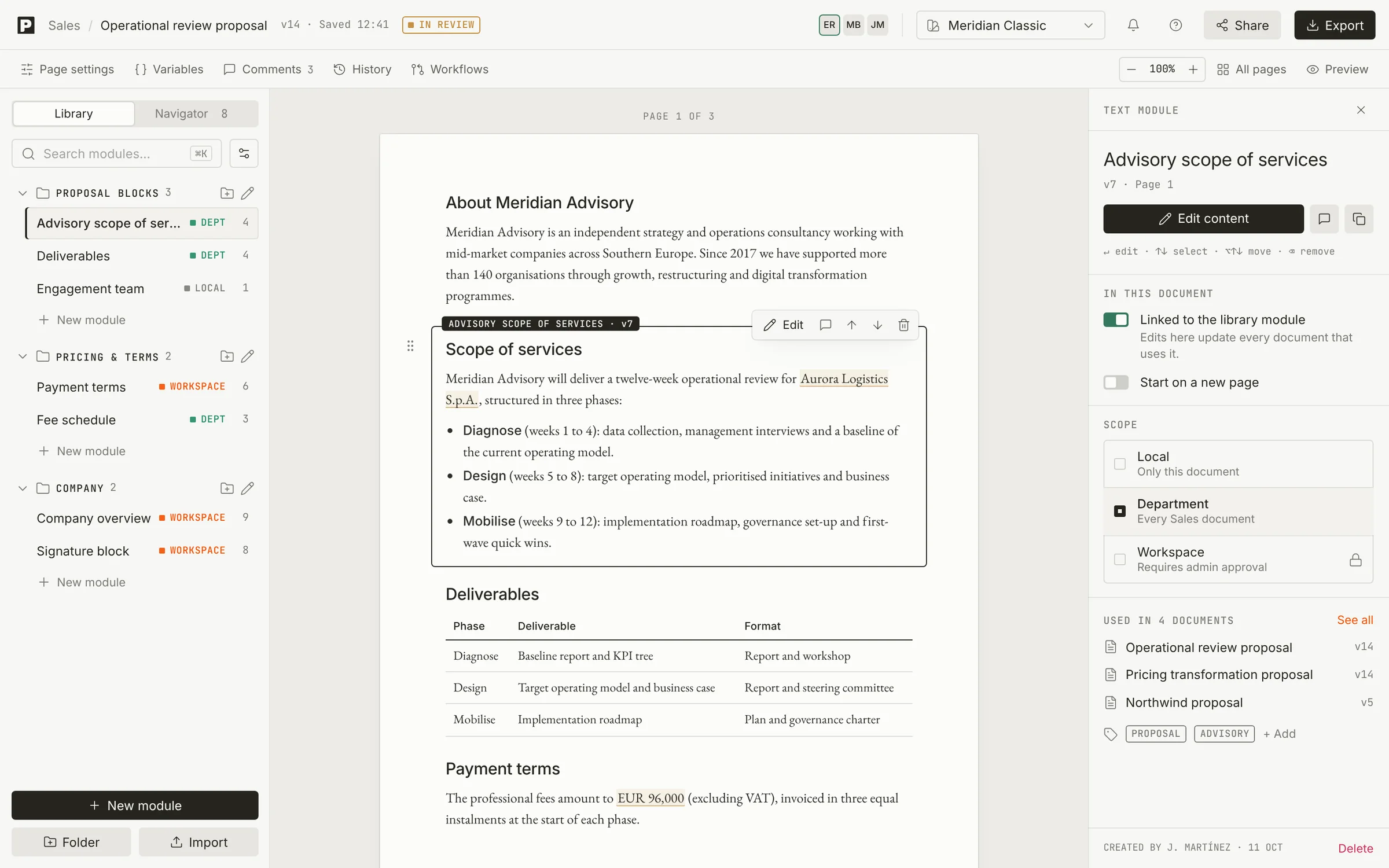
A module is a block of content, such as a clause, a team bio, a pricing note or a letterhead. Modules live in a library, organized in folders, and every time someone saves a module, ParaBlox keeps the previous version.
When you insert a module into a document, the block is linked to the library. A linked block always shows the module's current version. If someone improves the confidentiality clause and saves it with Update everywhere, every document that uses it linked shows the new text right away.
Sometimes one document needs different wording. In that case you keep an own copy of the module in that document. The copy stays as it is when the library module changes, and ParaBlox marks it when an update is available so you can decide whether to take it. Linked modules and own copies explains both options.
The main parts of the product#
- Workspaces and departments. A workspace holds your organization. Inside it, each department (Legal, Sales, People) has its own documents and module library. See Workspaces and Departments.
- The library. Folders and modules, with versions, tags, search and a list of the documents where each module is used.
- The editor. Documents are shown as real pages, laid out the same way as the exported PDF and the printout. You insert modules from the library, reorder them and edit them in place.
- Variables. Placeholders such as
{{client_name}}that you fill in once per document. Modules stay generic and each document gets its own values. - Scopes and approvals. A module's scope says how widely it's meant to be reused: in one document, across its department or across every department. Admins can require approval before a module is shared more widely.
- Headers, footers and styles. Headers and footers are modules too, so a letterhead can be reused and versioned. Department styles set the base font, accent color, page size and margins.
- Import, export and sharing. Turn existing Word or PDF files into modules, export to PDF or Word, print, or share a read-only link.
- Collaboration. Comments with @mentions, a full history of changes for each document, and review and approval workflows on the Enterprise plan.
Who it's for#
ParaBlox suits teams where several people produce documents that share a lot of content and must stay accurate. It was designed first for technical teams (engineering, IT, product and support) that keep producing the same documentation and guides. Legal and compliance teams, sales and bid teams, HR, consultancies and operations use it the same way.
It's most useful when the same text appears in many documents and an outdated paragraph has a real cost. If you write one-off documents on your own, a word processor is probably enough.
Where to go next#
- Build a document from start to finish in the Quickstart.
- Learn the vocabulary in Key concepts.
- Create your account and first workspace with Setting up your account.